Overview
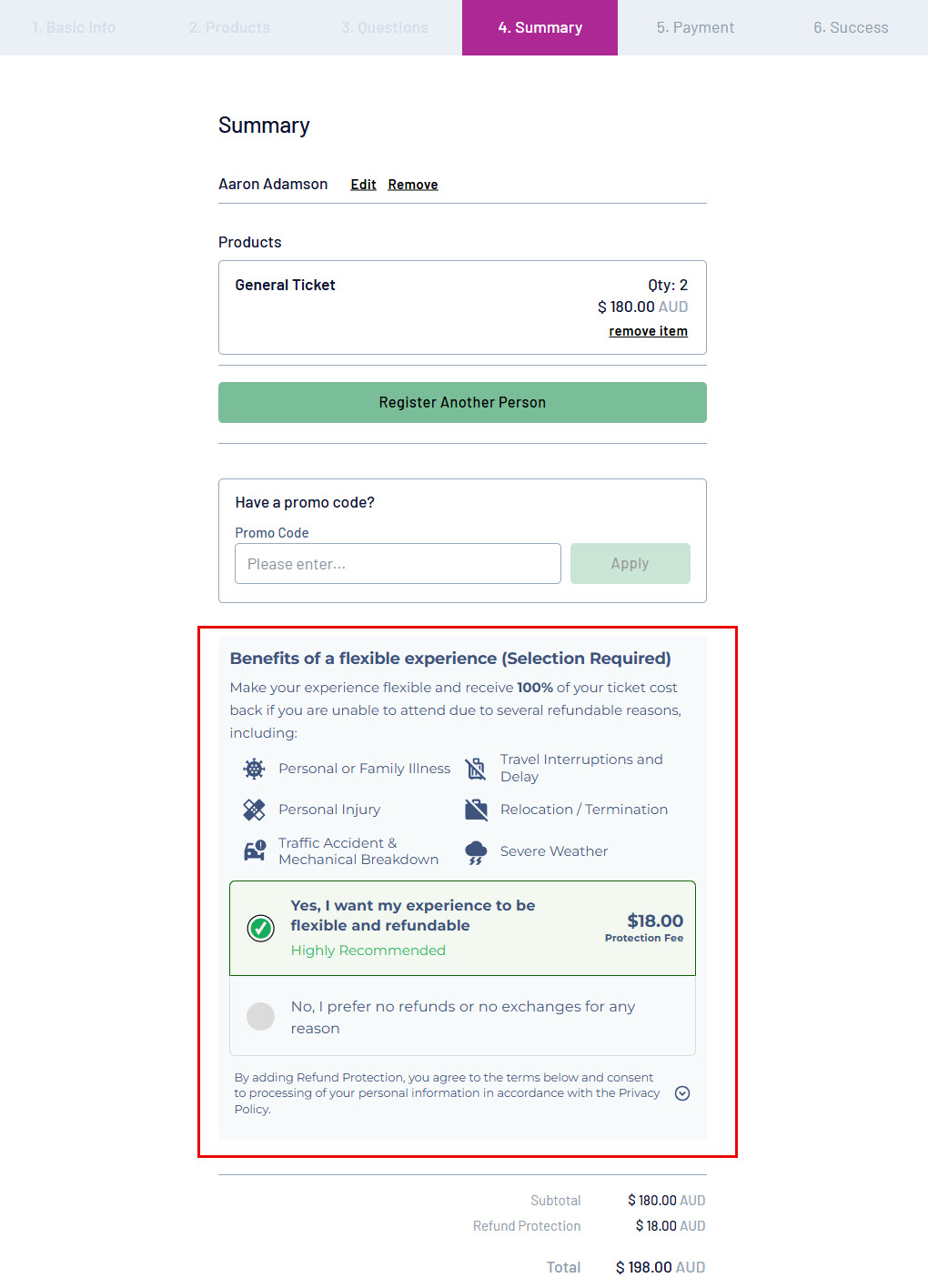
GameDay integrates with Teak allowing Event Organisers to offer refund protection to participants as part of the online purchase experience.
For Event Organisers, this helps to make your participants experience flexible to receive 100% of their ticket cost back if they are unable to attend due to several refundable reasons including:
- Personal or Family Illness
- Travel Interruptions and Delay
- Personal Injury
- Relocation / Termination
- Traffic Accident & Mechanical Breakdown
- Severe Weather
This article walks through the process of enabling Refund Protection on a specific event form.
Note: For more information on Teak Refund Protection, click here
Step-by-Step
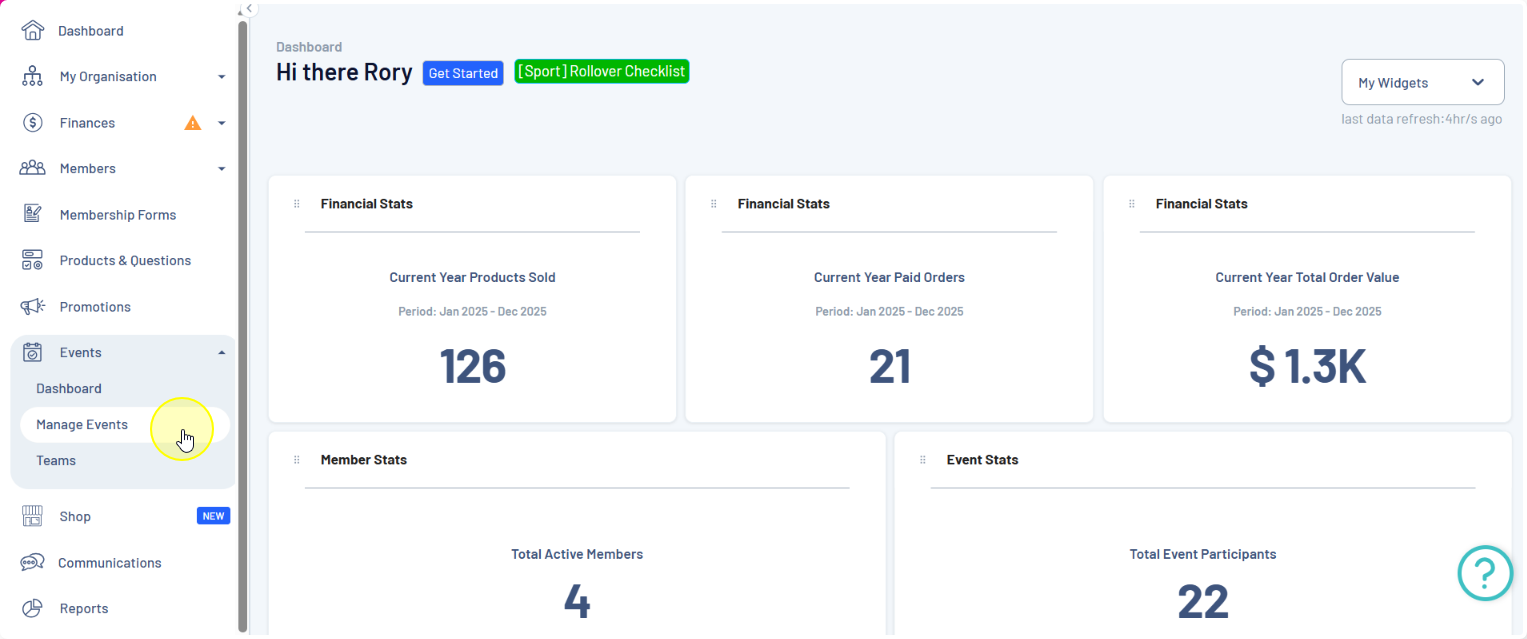
Step 1: Navigate to the Events screen
In the left-hand menu, click Events > MANAGE EVENTS
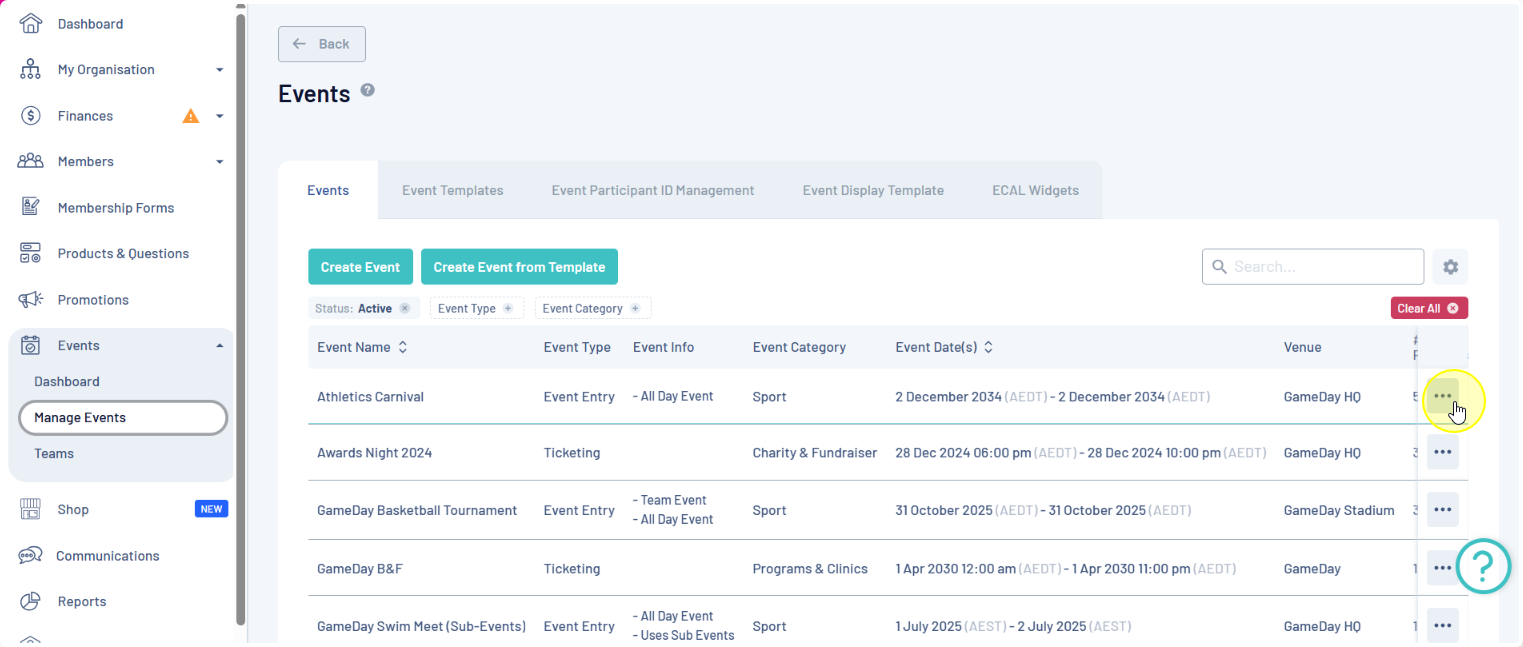
Step 2: Edit the relevant event
On the list of events, click the actions menu (three dots) next to the event you wish to edit
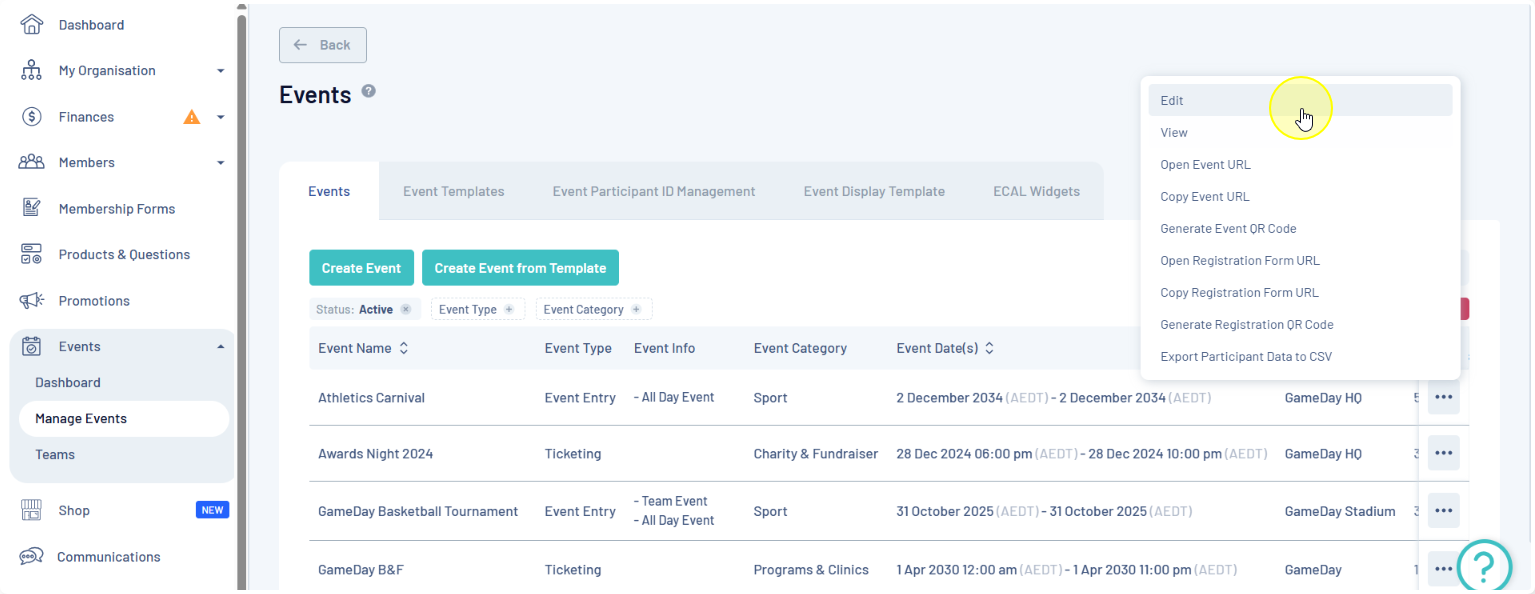
Click EDIT
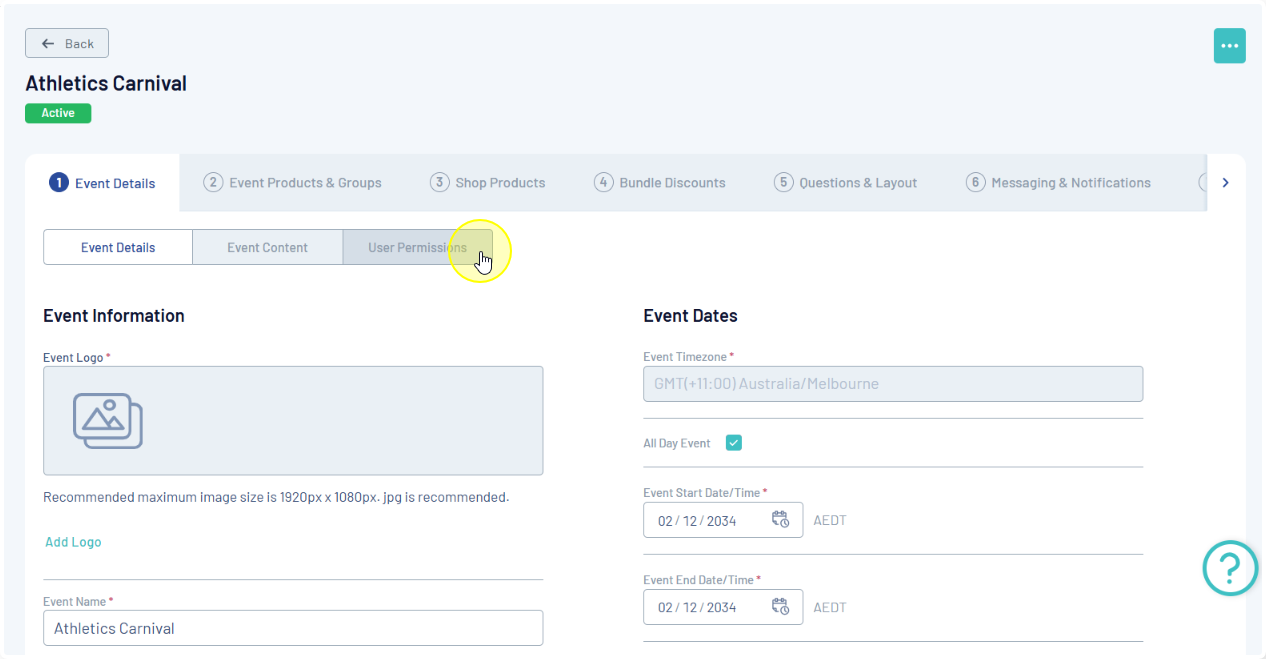
Step 3: Access User Permissions
Within the event settings, click the USER PERMISSIONS tab
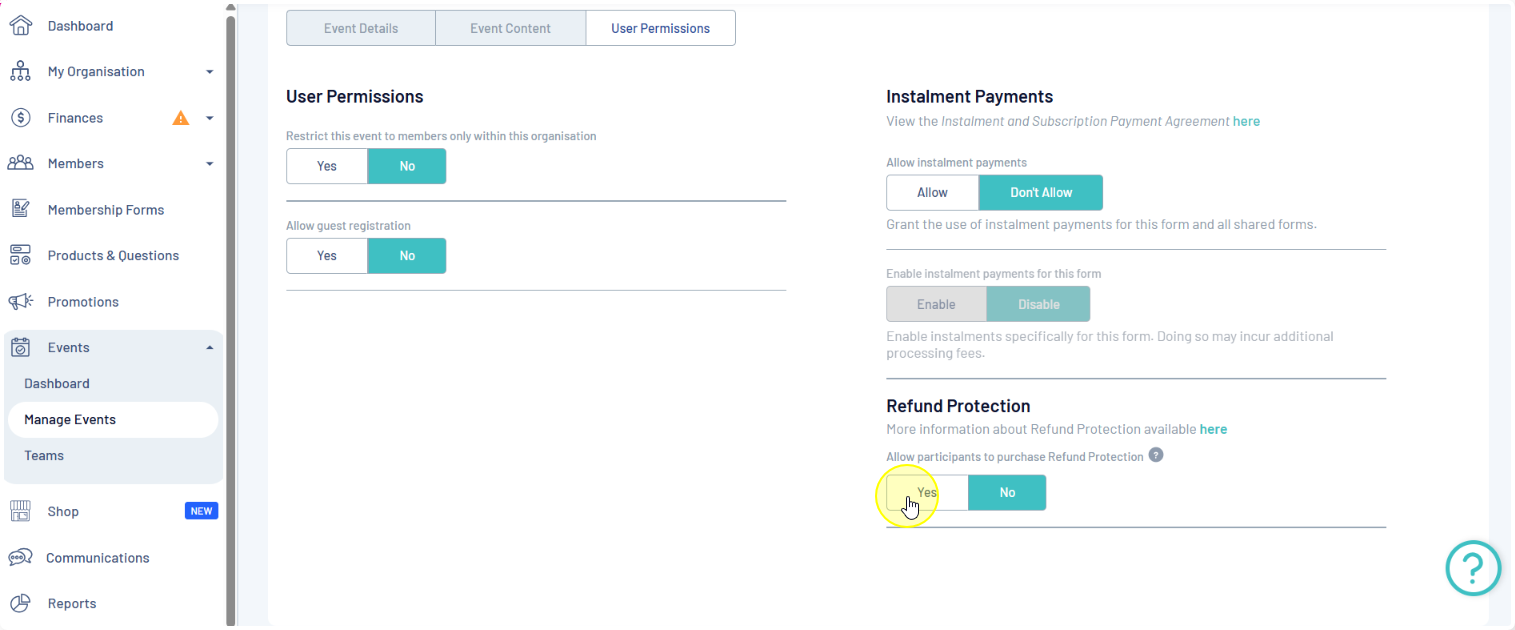
Step 4: Enable Refund Protection
Scroll to the Refund Protection section, then under the Allow participants to purchase Refund Protection field, select YES
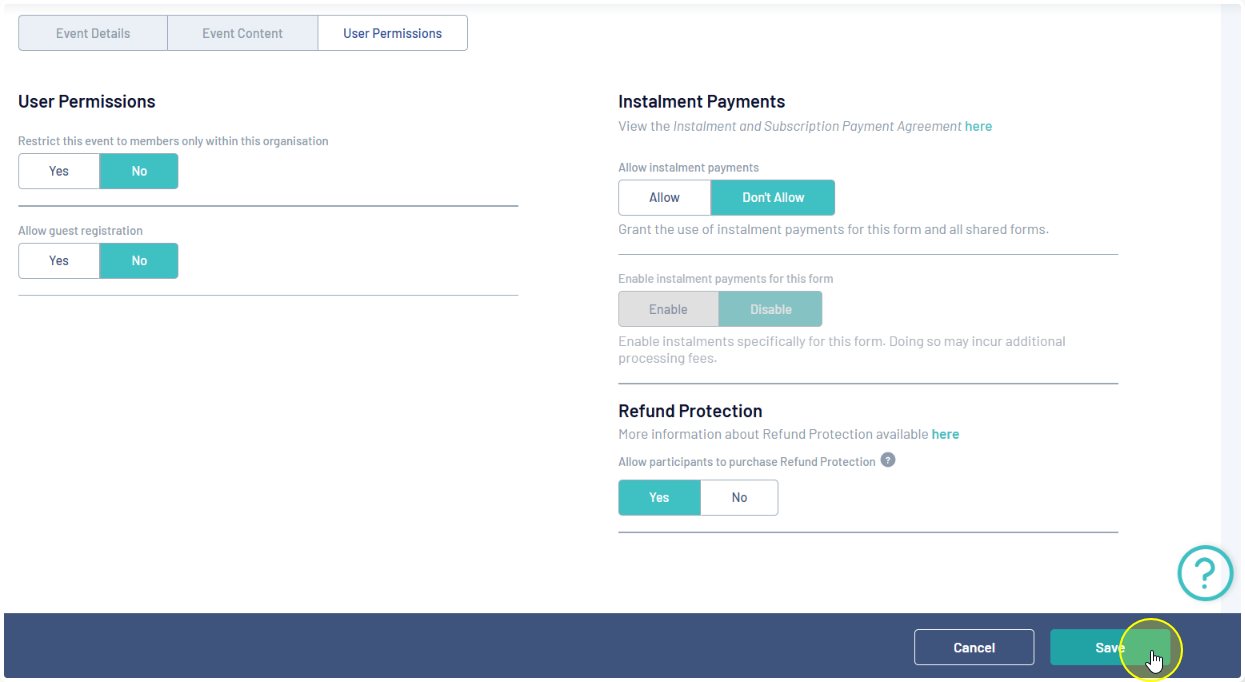
Step 5: Save Changes
Click SAVE to confirm and apply the changes.
Registrants will then see the option to add Refund Protection to their registration on the payment page of the form: